Deploying To Github Pages
If you haven't yet deployed to Github, start at First-time setup. Otherwise, start at Every time.
First-time setup
Goals
- Create a new git repository locally
- Create a new git repository on Github
- Push your local repository to Github
Steps
Step 1: Make a special new directory
Type this in the terminal:mkdir [your-github-user-name].github.comStep 2: Initialize a new local git repository
Type this in the terminal:cd [your-github-user-name].github.comType this in the terminal:git initStep 3: Make a commit
Type this in the terminal:touch index.html git add index.htmlType this in the terminal:git commit -m 'first commit'Step 4: Add Github as a remote
Type this in the terminal:git remote add origin https://[your-github-user-name]@github.com/[your-github-user-name]/[your-github-user-name].github.com.gitStep 5: Create a new repo via the Github UI

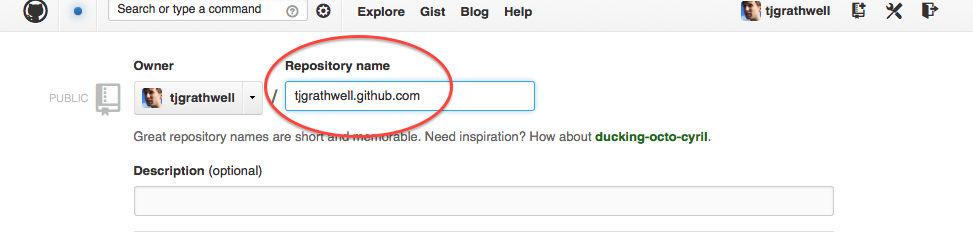
Step 6: Push your code to Github
Type this in the terminal:git push -u origin masterStep 7
Every time
Goals
- Commit your changes to locally
- Push your changes to Github
Step 1: Commit any pending changes to git
Type this in the terminal:git statusType this in the terminal:git add . git commit -m "Some helpful message for your future self"Step 2: Push changes to Github
Type this in the terminal:git push origin masterStep 3: Visit your site
Explanation
Back to Add More Elements