The HTML tag and Doctype
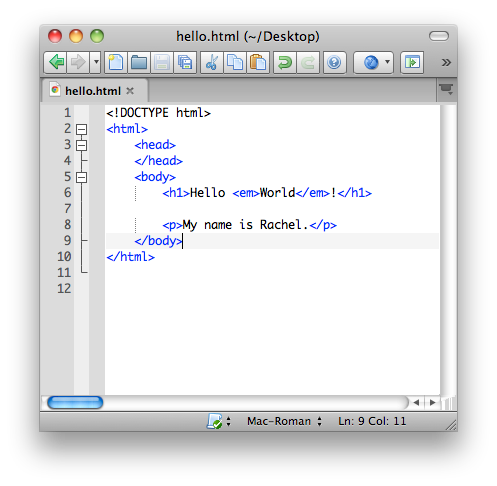
The line <!DOCTYPE html> is called the doctype, and it tells the browser which flavor of HTML you're using. <!DOCTYPE html> tells your browser you're using HTML5, the latest version of HTML.
(You may see older doctypes out there that are longer and a lot more complicated, from when people
used various HTML and XHTML versions, but those are annoying, and you can usually just
use this short version for new websites.)
The <html> encloses all the rest of your page, and states unequivocally, "Here is my HTML!!!"
Pages, Like People, Have a Head and a Body
<!DOCTYPE html>
<html>
  <head>Invisible, Important Stuff</head>
  <body>Actual Visible Content</body>
</html>
The Head
The head contains information about the document, including:
- what language or character set you're using
- what the page title should be
- what CSS and JavaScript files to include (and where they are)
Information in the <head> section is not displayed.
It can also contain metadata tags that can tell a search engine or another
program more about the file, like who wrote it or what keywords are relevant.
The Body
The Body contains the actual content of your file, the things you'll want your users
to be able to see, read, or interact with!